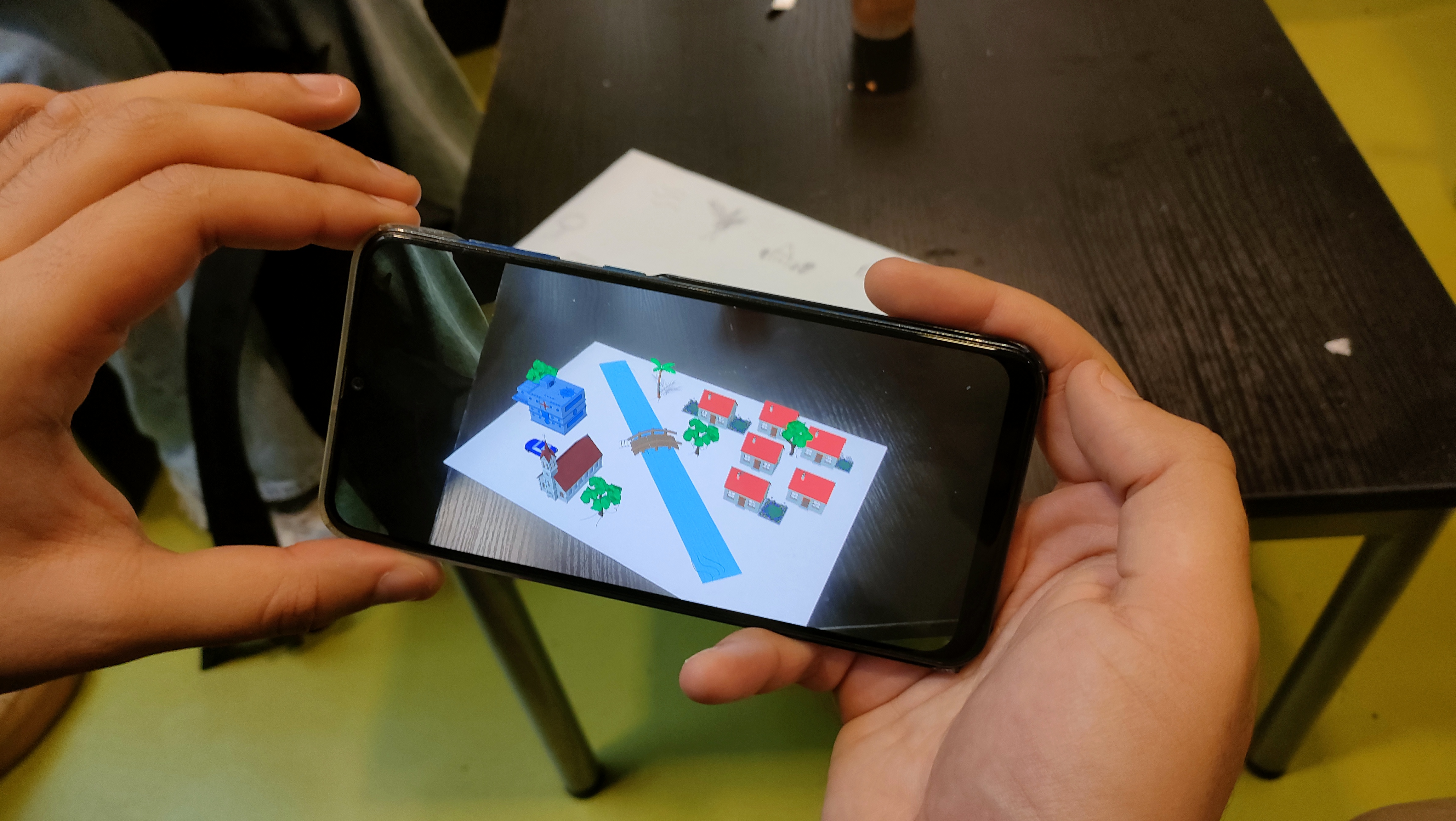
Real-Time Augmented Reality for hand-drawn sketches
A master thesis project exploring real-time object detection and augmented reality. Pencity transforms hand-drawn sketches into interactive 3D city elements using YOLO and a custom model trained on the Google QuickDraw dataset.
Visit repositoryThe challenge
Detecting hand-drawn sketches in real time for an augmented reality environment is far from trivial. Drawings vary in style, thickness, perspective, lighting conditions, and overall quality. Pencity aims to turn these imperfect, spontaneous sketches into an interactive 3D city seen through a smartphone. Achieving this requires a detection model that is fast, lightweight, and reliable enough to run directly on mobile devices, without sacrificing accuracy. The core challenge is therefore to design a system that can interpret simple strokes on paper and translate them into structured, meaningful objects in real time.
Choosing the right detection model
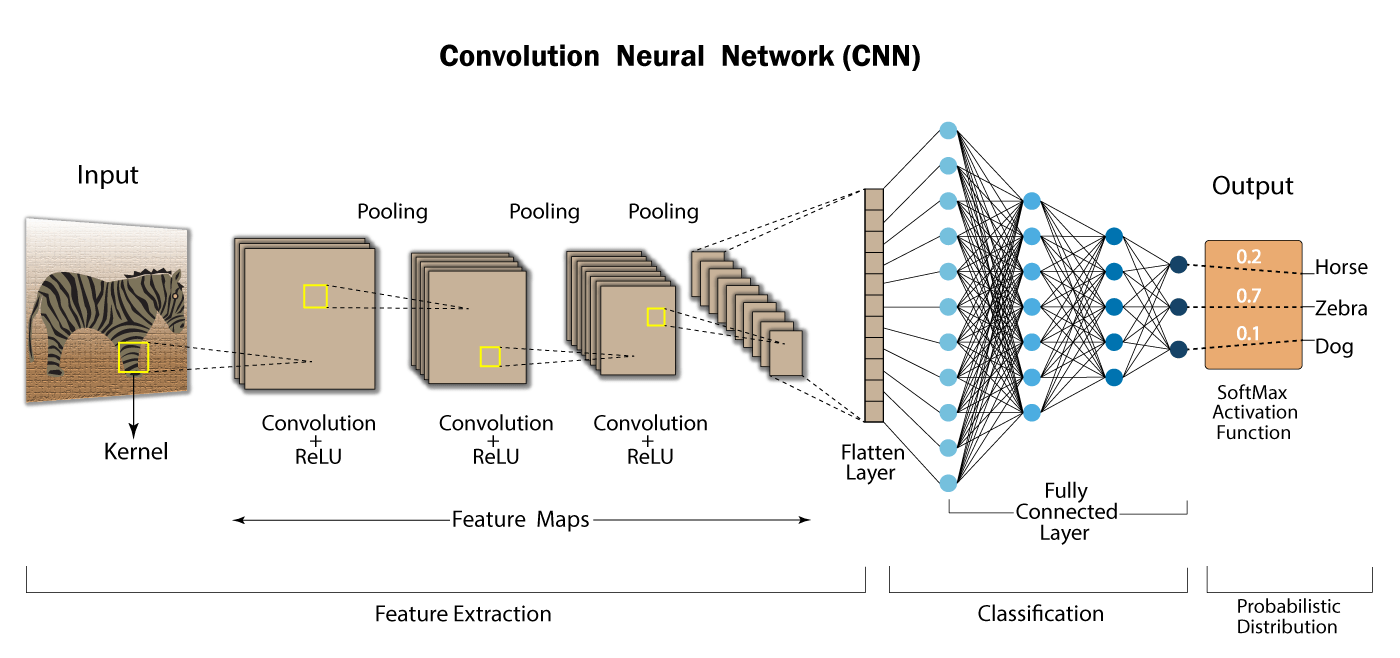
Since Pencity is designed to run on a smartphone in real time, the core technical challenge was to find a model that could balance speed and accuracy. We chose the YOLO family because of its strong performance in real-time object detection, and focused our experiments on lightweight versions that could be integrated into a mobile augmented reality pipeline.
Building the dataset pipeline
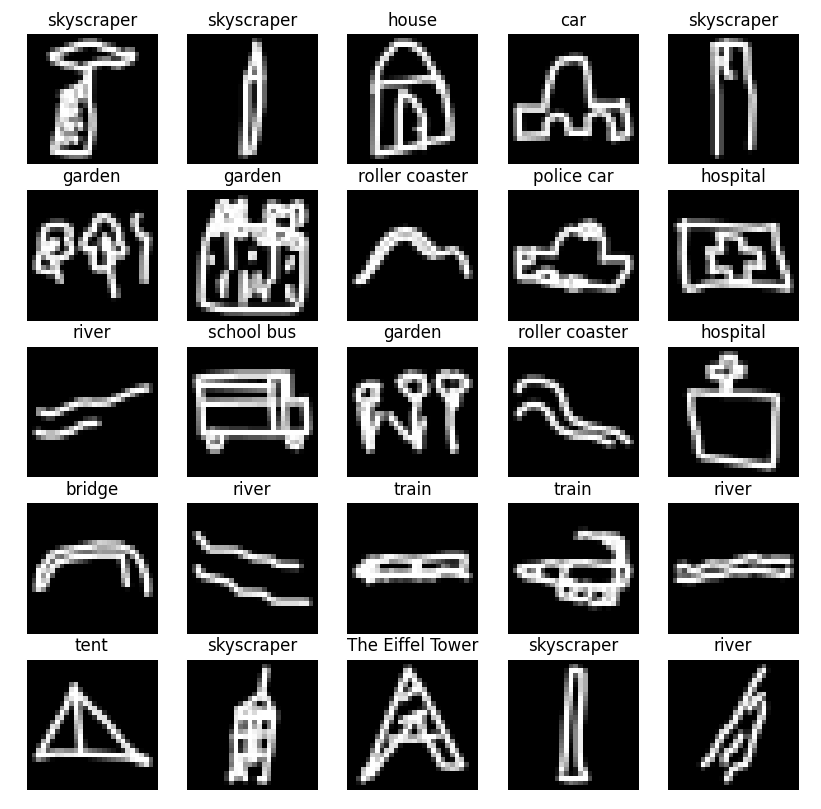
The QuickDraw dataset gave us a massive collection of sketches, but it was not directly usable for object detection. To make it compatible with YOLO, we built a custom pipeline that generates training canvases filled with multiple drawings, applies random placement and transformations, and automatically produces the corresponding bounding-box annotations.
Training for real-time detection
Training the model meant going beyond standard YOLO usage. Because our data consists of rough black-and-white sketches rather than natural images, we had to start from scratch with randomly initialized weights instead of relying on pretrained models. We then trained and evaluated lightweight YOLO variants to identify the one that offered the best compromise between inference speed and detection quality, with the goal of making real-time performance possible on mobile hardware.
Creating the AR experience in Unity
Once the AI pipeline was in place, the next step was to bring the drawings to life inside Unity. Using AR Foundation, we built a mobile augmented reality application capable of anchoring 3D objects directly onto a sheet of paper. The goal was not only to display virtual content, but to make the experience feel spatially coherent and responsive, as if the sketch itself had become a living, interactive miniature city.
Solving alignement and surface detection
One of the biggest technical challenges was ensuring that 3D models would appear in the right place and remain attached to the paper as the user moved it. Rather than relying entirely on Unity's default plane detection, we experimented with a custom surface-layer approach to better adapt the AR scene to the sheet itself.
From sketches to living city
The central idea behind Pencity is simple: transform static sketches into a dynamic urban environment. A hand-drawn house becomes a 3D building, a tree becomes part of the landscape, and multiple recognized elements combine into a coherent city scene. This shift from paper to augmented reality is what gives the project its "immersive" character.
Integrating Yolo with Unity
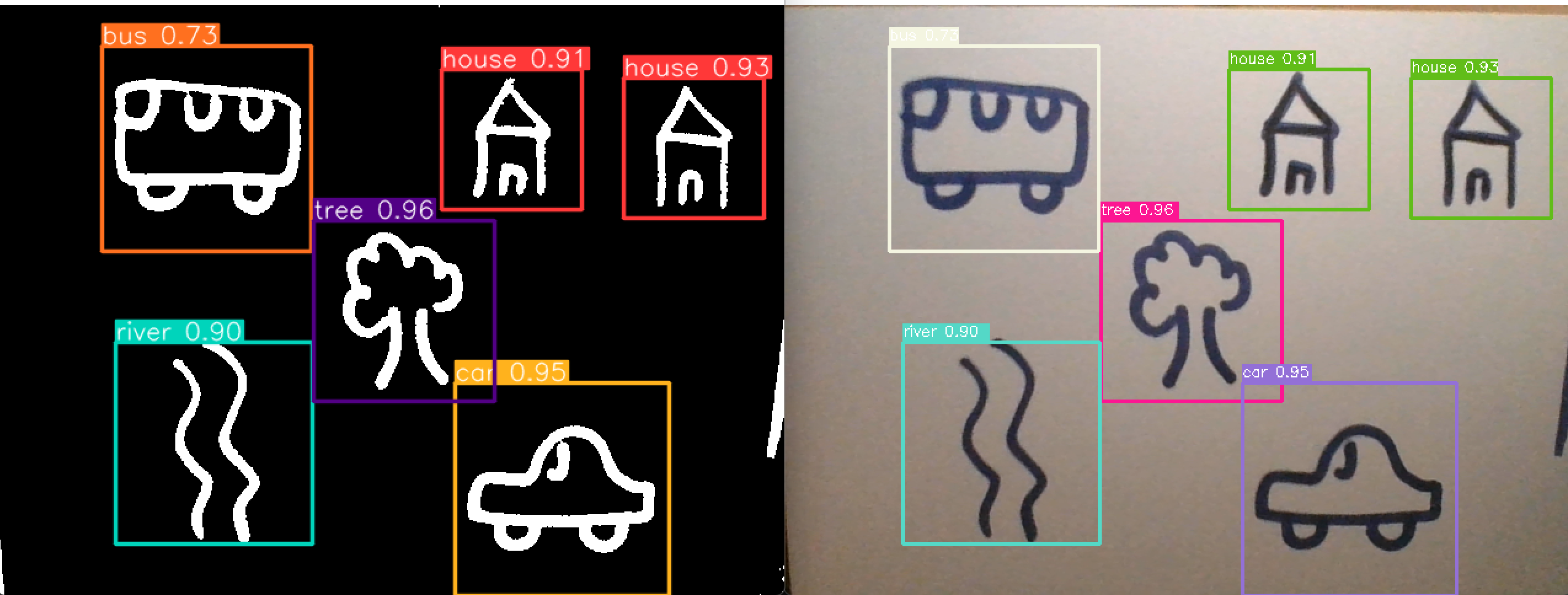
One of the most important milestones of the project was integrating our trained YOLO model directly into Unity. By exporting the model to ONNX and using Unity's Barracuda inference engine, we made it possible to process the camera feed in real time and detect sketches directly inside the AR application. This integration is what truly connected the AI system with the visual 3D world.
Real-time detection in the app
With the model running inside Unity, the application can detect drawings on the paper and instantiate the corresponding 3D models in the correct location. This turns the camera feed into a real-time bridge between sketch recognition and augmented reality, allowing the scene to evolve dynamically as new drawings are added or viewed from different angles.
Future interactions
Beyond detection and placement, the next step for Pencity is interaction. We want the generated city to become more than a static overlay by adding movement, animations, and user-controlled behaviors.
Results and next steps
Pencity successfully combines computer vision, deep learning, and augmented reality into a single interactive prototype. The project demonstrates that simple hand-drawn sketches can be detected in real time and transformed into 3D elements anchored on paper through a mobile AR application. Fortunately, for this project we were given a 18.5/20 !